Handouts in-case, inbox-to-case forwarding, and more in 5 minutes.
The Rounds

Your days are long and they move fast. And so does CoVet.


In this first edition of our monthly newsletter, we’re sharing what we’ve been building to help make your clinic days a little smoother. 


In 5 minutes, you’ll see what’s new and how it helps in clinic.

Product Updates


The latest improvements focus on client education, cleaner case organization, and easier client communication.

Vetlexicon

Evidence-based client handouts

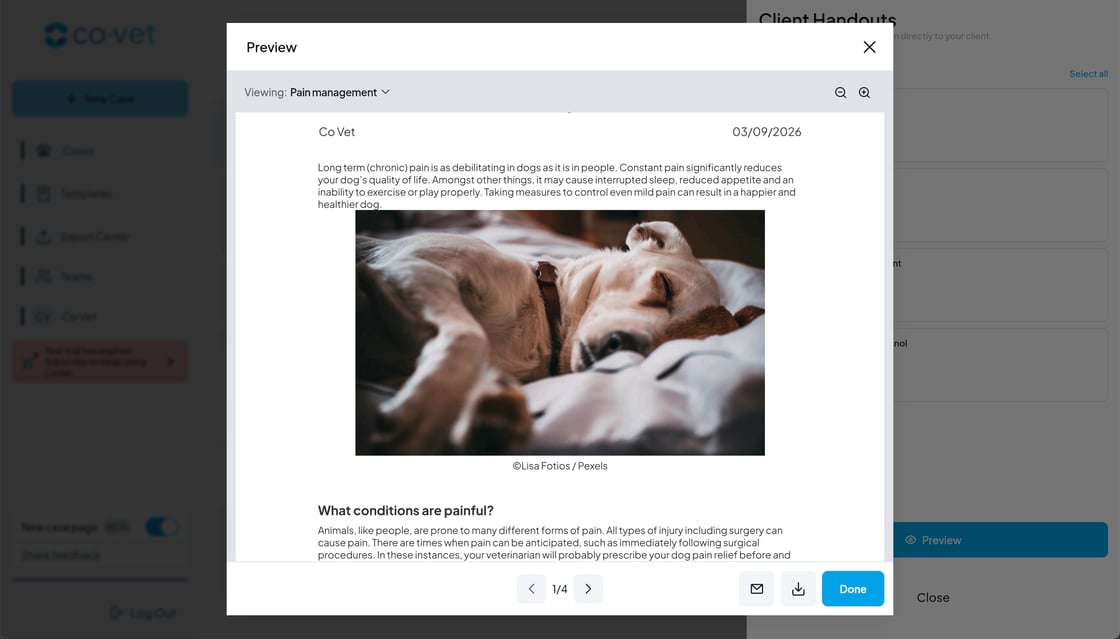
Need something reliable to send clients home with? CoVet now suggests Vetlexicon handouts right in the case. 

When you generate a summary, CoVet can:

  • Suggest relevant Vetlexicon handouts based on the case.
  • Let you preview and select materials.
  • Share clear educational content with clients instantly.

Clear, easy-to-share education helps clients follow instructions at home.


Enable Vetlexicon Handouts to see what they suggest for your next case.

Try it now

Email Assistant

Forward emails straight into CoVet

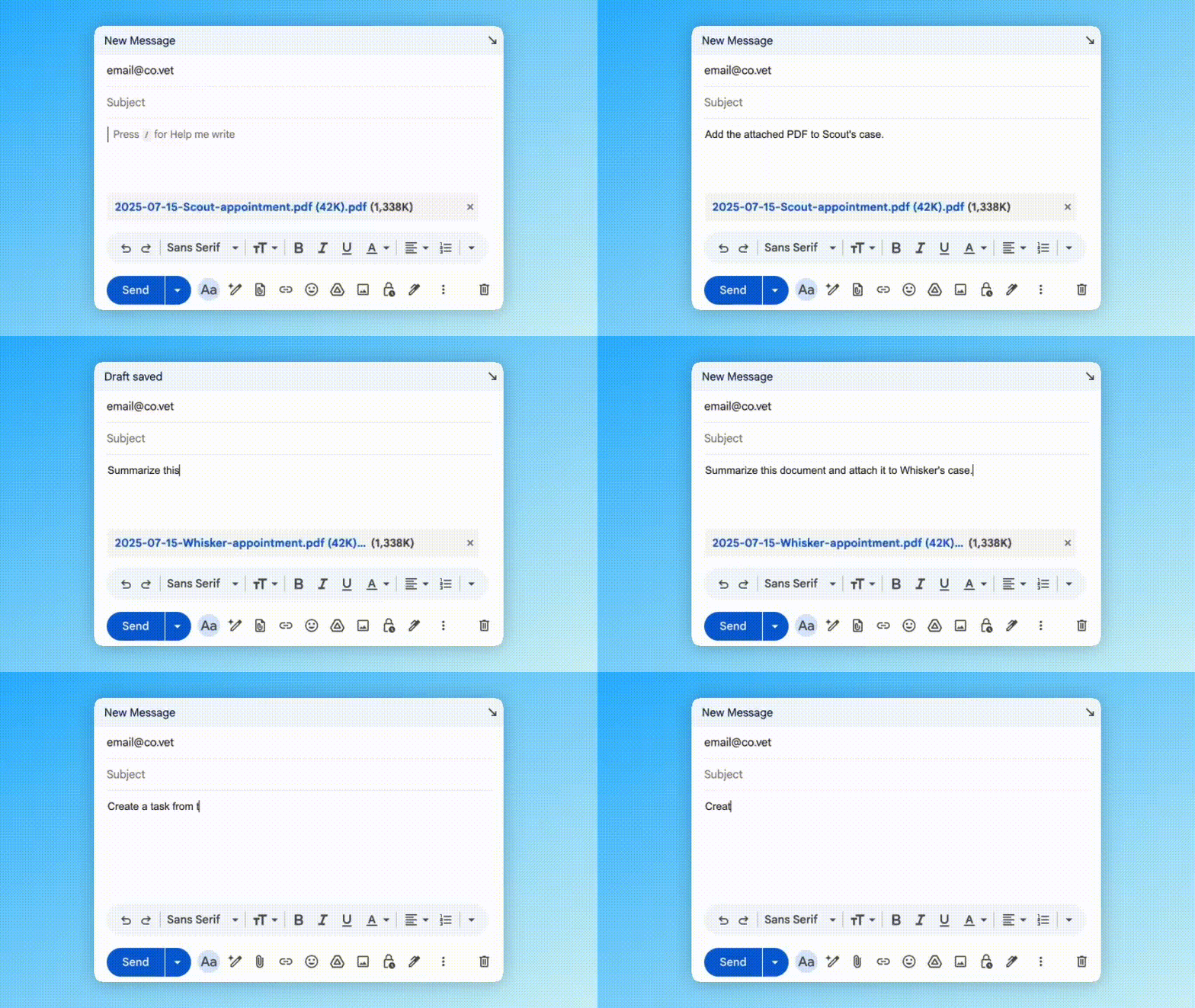
Lab results, referral letters, and records hit your inbox all day. Now you can send those details straight into CoVet just by clicking “Forward.” No downloading, copying, or pasting needed. 

  • Forward emails to email@co.vet from the address linked to your CoVet account. 

  • Add a simple note like: “Add this to Charlie’s case.” or “Create a new case for Mia.”
  • And CoVet will update the case or start a new one, including any PDFs, images, or recordings attached.
  • If anything’s unclear (like which appointment or template to use), we’ll send a quick follow-up so you can clarify.

Enable CoVet’s Email Assistant and give it a try next time something important lands in your inbox.

Try it now


New tools shaped by your feedback

Account Switching: Set up a 4-digit PIN for faster handoffs on shared workstations. Learn more →


Multi-Day Cases: Keep hospitalizations and ongoing treatments in one continuous case record. Learn more →


Unassigned Cases: Triage a case immediately and assign it to an owner later. Learn more →


Redesigned Case Page: Toggle it on for a cleaner layout and easier navigation between recordings, summaries, and attachments. Learn more →


Attachment Enhancements: Attach photos and PDFs directly to the case. Learn more →


New PMS integrations

We added new PMS integrations this month to reduce double entry and keep your workflow moving.

PMS Integrations

Syncing with CoVet keeps getting easier.

Explore all integrations

Events & Conferences

Conferences

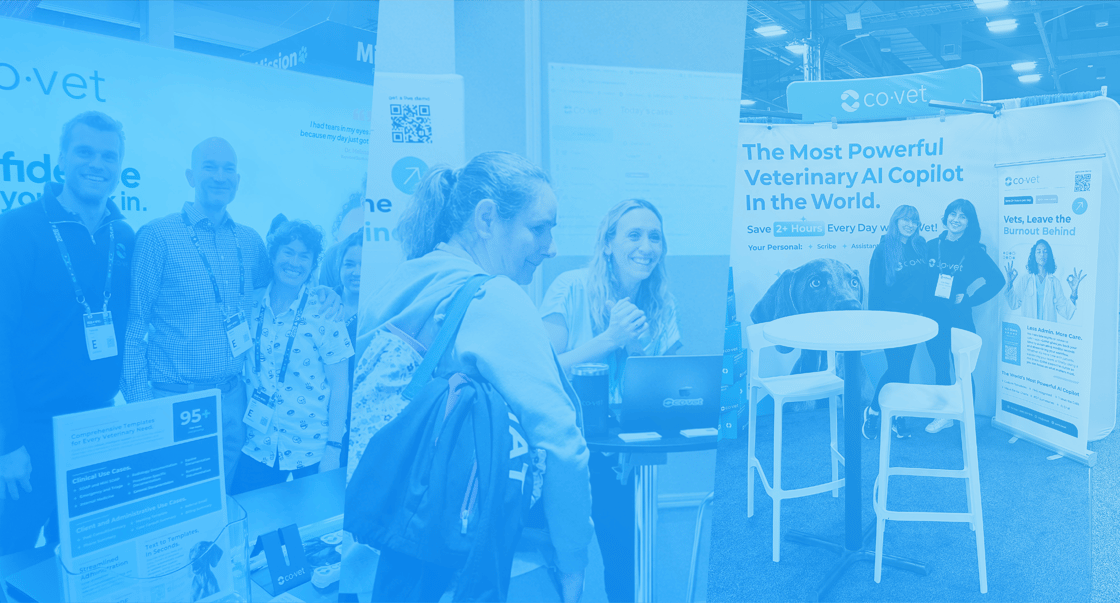
This past month, we met with clinicians across four countries and are bringing those conversations into what we build next.


We’ve been on the road from Vegas to our own backyard in Toronto, and over to the 57th South African Equine Veterinary Association Congress. It’s been a real pleasure meeting veterinary teams across many roles and practice types.

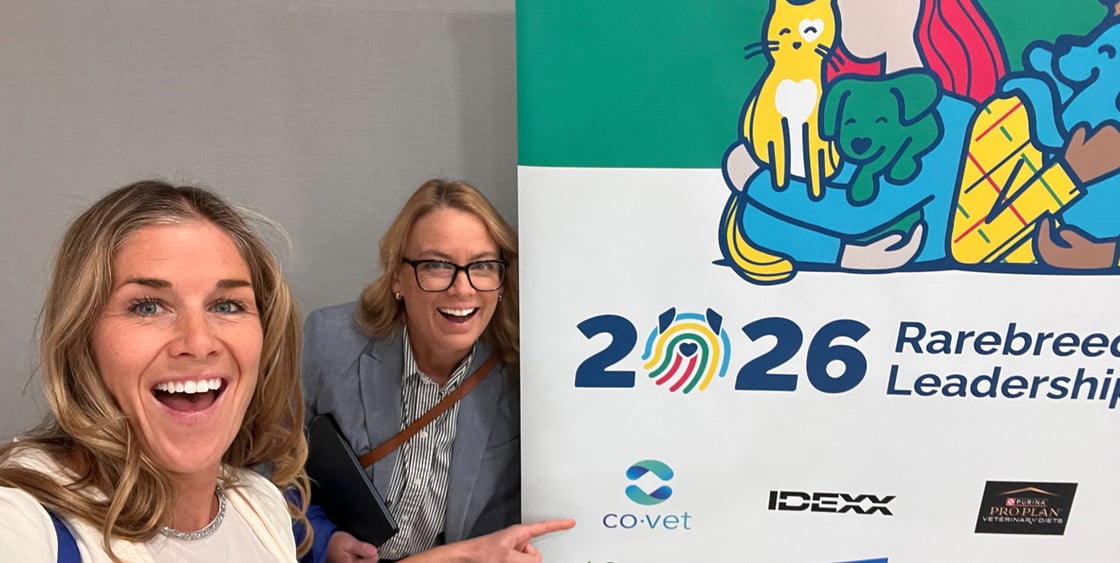
Dr Tara McCarthy and Katie Grant

Dr. Tara McCarthy and Katie Grant at Rarebreed Hospital Leadership Summit


We’ve got 14 events in 7 countries on the calendar this month. If you’re attending one, we’d love to say hello. If not, we value your feedback anytime.  🇨🇦 🇺🇸 🇪🇸 🇫🇷 🇿🇦 🇦🇺 🇳🇱


Follow us on LinkedIn to see where we are going next.

CoVet Learning Lab


If you missed our live sessions in February, you can catch the replays any time you like.


Emergency Cases and Hospitalized Patients


We explored how CoVet simplifies emergency cases by combining historical records, same-day consultations, and multi-day stays into a single note.


  Watch the replay


Equine and Large Animal Practice


From the road to the hospital, we looked at how CoVet templates adapt to specific cases, and shared strategies for maintaining accurate records in areas with limited connectivity.
  Watch the replay


We have a lot of exciting new webinars over the next few weeks. See what’s coming up.

Erika

Erika's Pro Tip


Erika Kronwald-deBruyn, CoVet’s Customer Success Manager, shares her favorite tips for getting the most out of CoVet.


Client phone calls are often where critical details live. CoVet’s In-App Calling helps you capture those details without having to scramble for a pen. 

How it works:

  1. Open the client’s case in CoVet.
  2. Click the phone icon to dial directly from the app.
  3. When the call ends, the recording attaches to the case.
If you need help setting up CoVet’s In-App Calling, click here.

We're already working on new features and connections for March. Stay tuned for more updates.


We’re grateful to build this alongside you. 

Visit our Help Center for more information

CoVetAI Inc. 20 Clappison Ave
Hamilton, ON Canada

Facebook
Instagram
LinkedIn

You are receiving this email as a subscriber of CoVet. 

Manage your preferences · Unsubscribe · Privacy policy


See how other vets use CoVet. Join the community.